
A diet that counts your workouts.
Add a meal with a photo, and your calorie target goes up when you train more often.


Gymie is in testing right now. Sign up and we’ll let you know
A photo of your plate is enough.
The AI recognises what is on the plate and works out the calories and macros. You can adjust the result.
Something in a package? Snap the nutrition table and add how much you ate.
Or from products.
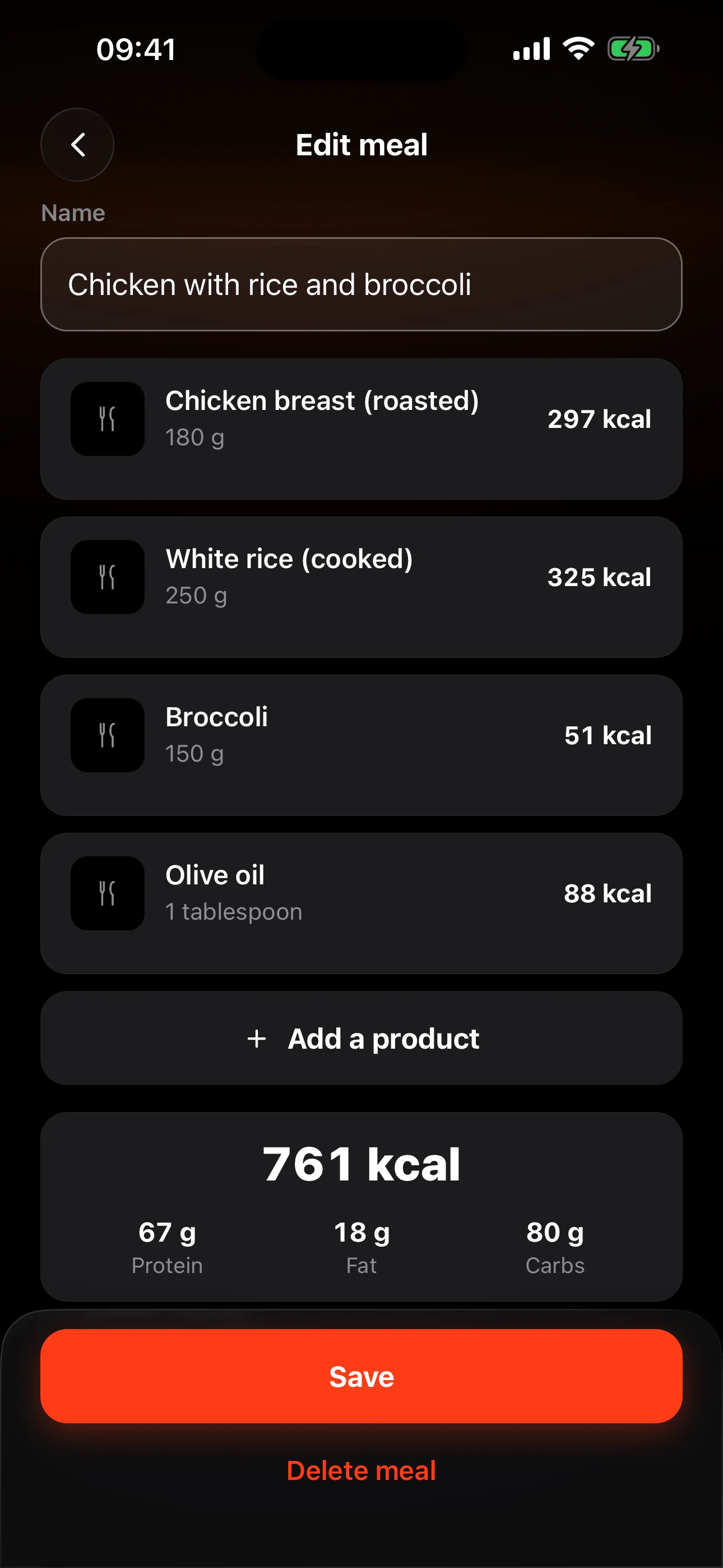
Add products from the database in grams, and Gymie adds up the calories and macros of the whole meal.
Save your own product per 100 g or per piece, or type the macros in by hand.
My meals.
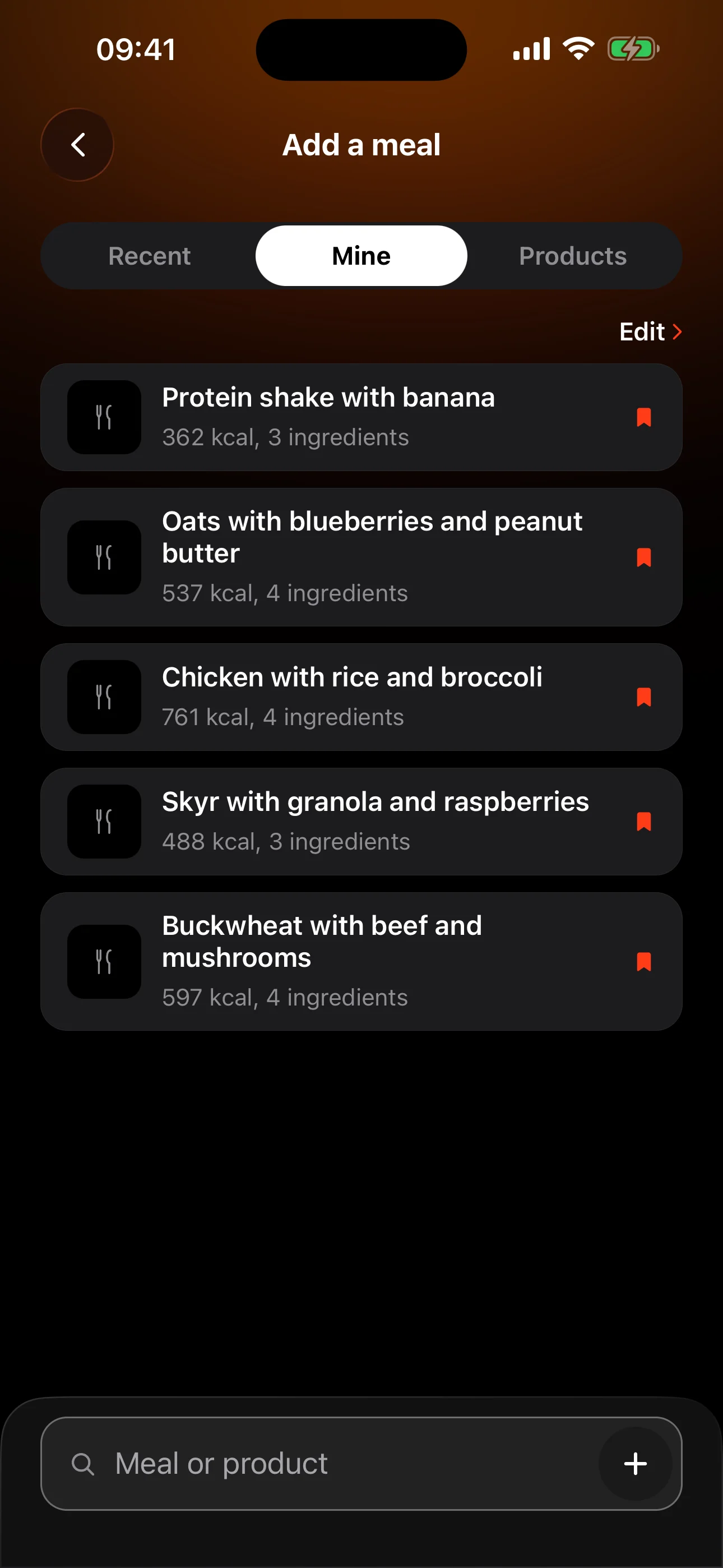
Turn on Save when you add a meal, and next time pick it from the list, with its calories and ingredients.
Next to it, Recent holds what you eat most often.
Eating the same?
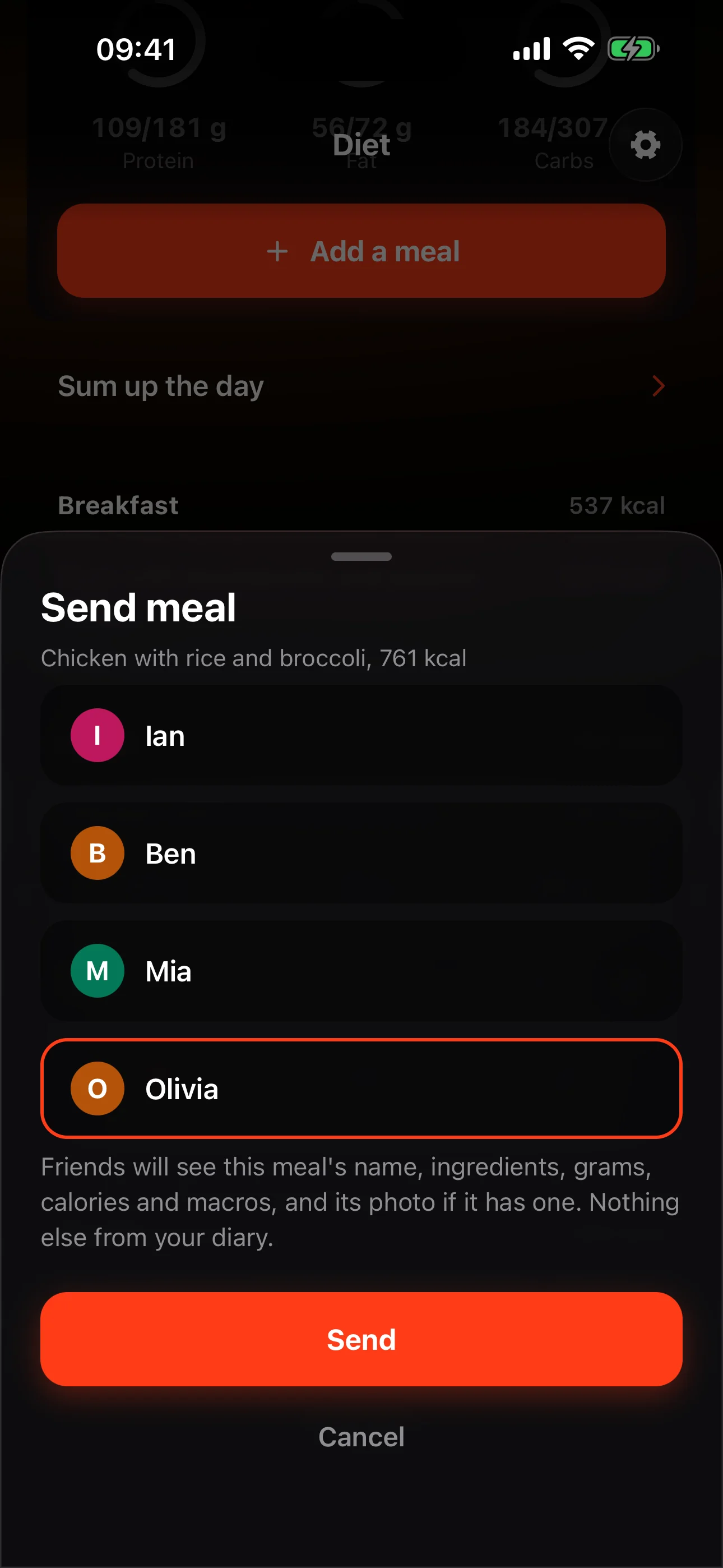
Send the meal to friends and they add it to their own diary, with the ingredients, grams and macros.
They get a notification, “Olivia sent you a meal: Oats with blueberries”, and add all of it or their own portion.
A target that grows with your training.
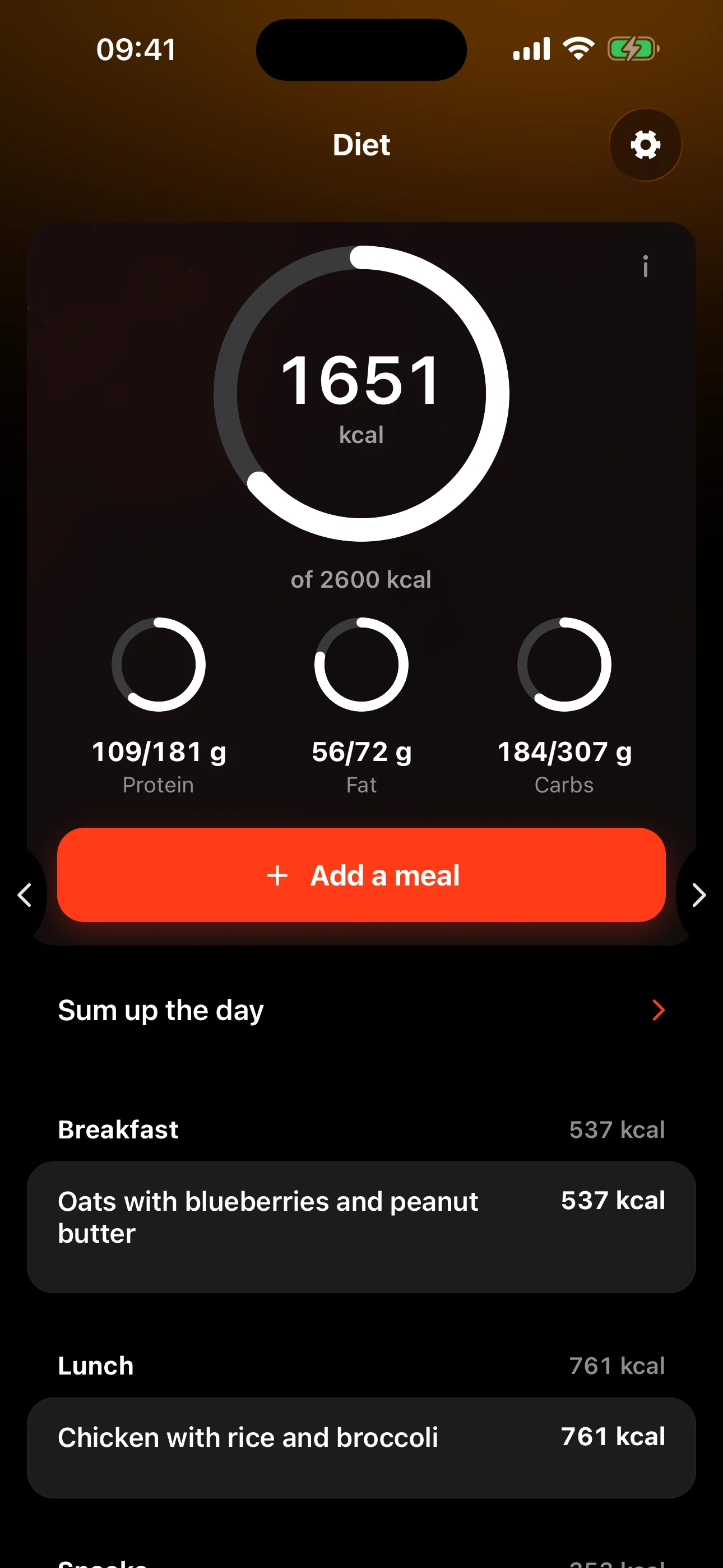
Gymie counts your training days over the last four weeks: the more often you train, the higher your calorie target.
The Diet card shows the day’s calories, protein, fat and carbs, each against its own target.
Frequently asked questions
Does the AI always get it right?
It’s an estimate, not a weighing. You see the calories and macros before you save and can adjust them. A meal takes 1 to 5 photos, or just a description.
Does Gymie scan barcodes?
No. Instead, snap the nutrition table and add how much you ate, or find the product in the database. Turn on Save, and next time the meal is waiting in My meals.
Where do steps and burned calories come from?
From Apple Health or Health Connect, once you connect them. The Diet card shows the day’s steps and the calories burned in your Gymie workouts, when a watch or band recorded them. Your calorie target is counted separately, from your training days over the last four weeks.
Can I change my meal times?
Yes. Meals go into eating windows, by default Breakfast, Lunch, Dinner and Snacks. Set their names, hours and number your way.
Does food count towards challenges?
Yes. Weekly challenges count food too: meals, meals from a photo, saved meals and days on your protein target.